How to Download YouTube Videos on Chromebook (2026)
How to download YouTube videos on Chromebook: no install, MP4 at 1080p or lower so it plays, and move it out of Downloads so it is kept. Tested steps.
 Simone MatthewContent & video creator at Tube Snip· · 5 min read
Here is how to download YouTube videos on Chromebook without installing anything: open the video in Chrome, copy its link, paste it into a web downloader, and save an MP4 at 1080p or lower. Those qualities use H.264, the MP4 video codec Chromebook Help lists. The file lands in Downloads in the Files app. Move it to another folder soon, because a Chromebook can delete files in Downloads when it runs out of space.
We tested this on October 23, 2026: a 10:35 video at 720p saved in 19 seconds. Below are the steps, which quality to pick, how to save just the audio, the YouTube Premium option, and what to do on a school Chromebook.
Two ways to save YouTube videos on a Chromebook
| Web downloader (free) | YouTube Premium | |
|---|---|---|
| Cost | Free | Paid membership |
| What you get | An MP4 or MP3 file in Files | A download inside youtube.com |
| Plays in | Any player, offline, no limit | YouTube only, signed in |
| Offline limit | None | Up to 29 days without reconnecting |
| Good for | Your own videos, Creative Commons, class projects | Watching later on the go |
Chromebooks can't run the Windows programs many PC guides recommend. A web downloader works in Chrome, so nothing needs installing.
How to download a YouTube video on a Chromebook, step by step
Copy the video link
Open the video on youtube.com in Chrome. Click in the address bar and copy the link with Ctrl + C, or click Share → Copy under the video.
Paste it into the downloader
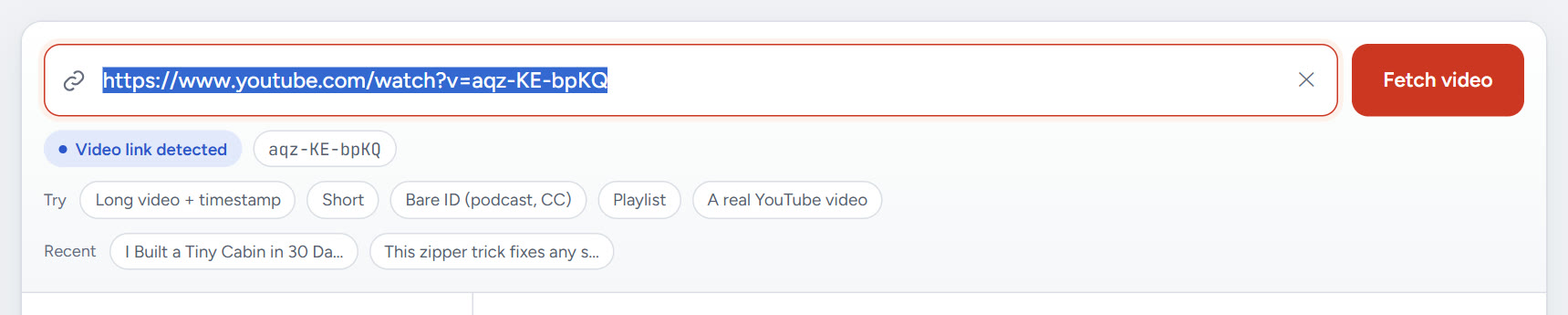
Open the YouTube video downloader, paste the link with Ctrl + V and press Enter. The title, length and thumbnail show up in a few seconds.
Pick MP4 at 1080p or lower
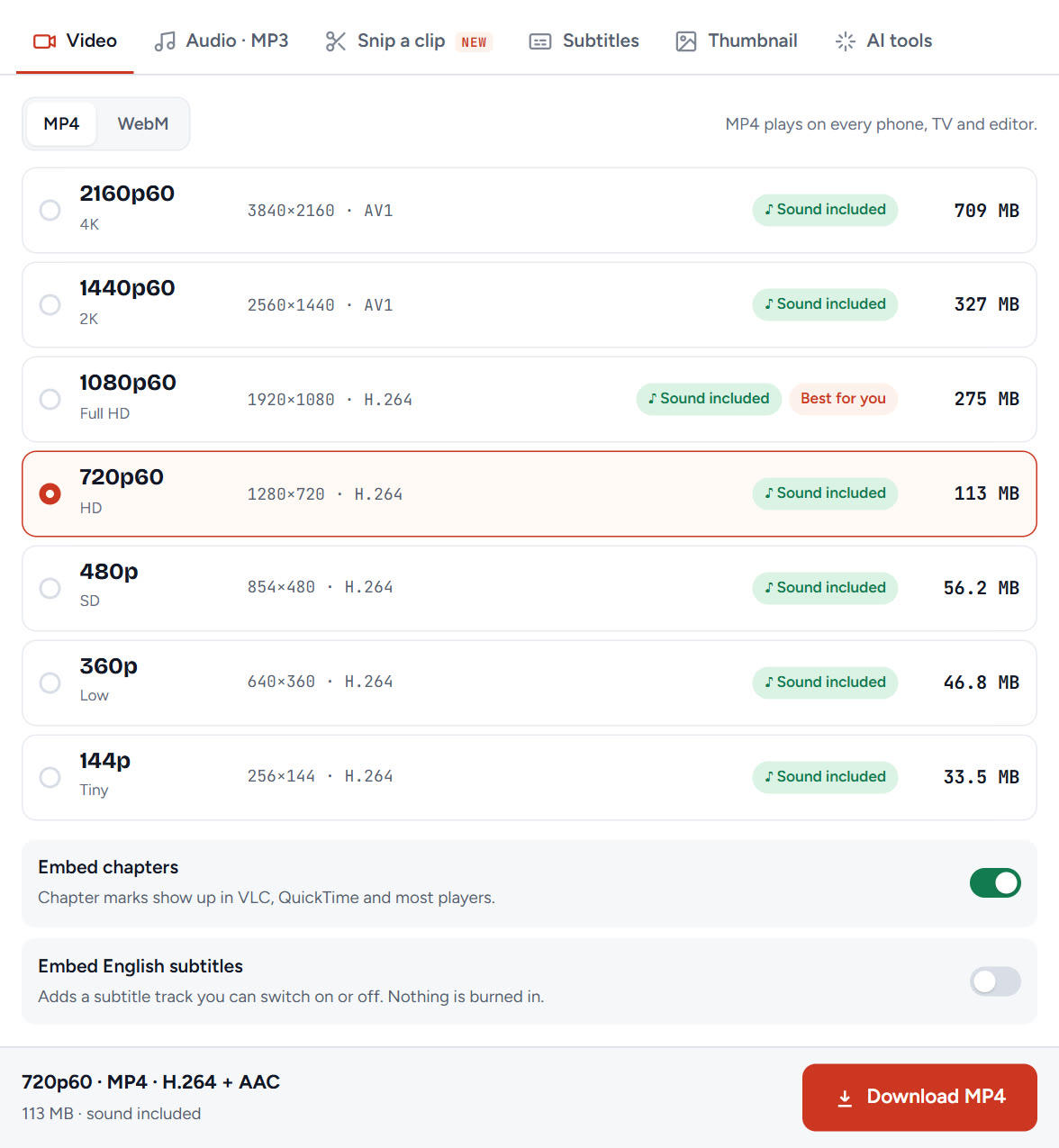
Keep MP4 selected and choose a quality. On a Chromebook, 1080p or 720p is the safe pick. Both are H.264 with AAC sound. Our 4K and 2K files use the AV1 codec, which Chromebook Help doesn't list for MP4. Storage matters too: many Chromebooks have small drives, and 720p takes far less space than 4K.
Download and wait for Saved
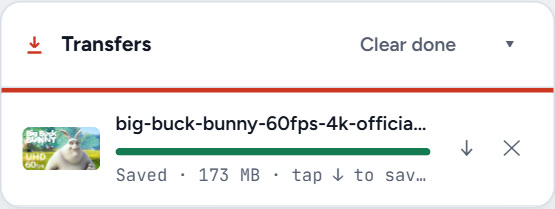
Click Download MP4. The Transfers box shows progress and then Saved with the file size.
Move the file out of Downloads
Chromebook Help calls Downloads a temporary folder: files there can be deleted when space runs low. To keep the video:
- Open the Files app from the Launcher.
- On the left, select Downloads.
- Drag the video to another folder, such as My Drive.
To skip this every time, open Chrome Settings → Downloads, click Change and pick a permanent folder. Or turn on Ask where to save each file before downloading.
Play it offline
In the Files app, find the video and double-click it. It plays with or without internet.
Which quality plays on a Chromebook?
Chromebook Help lists H.264 as the video codec for MP4 files. Here is how our MP4 qualities line up with that list:
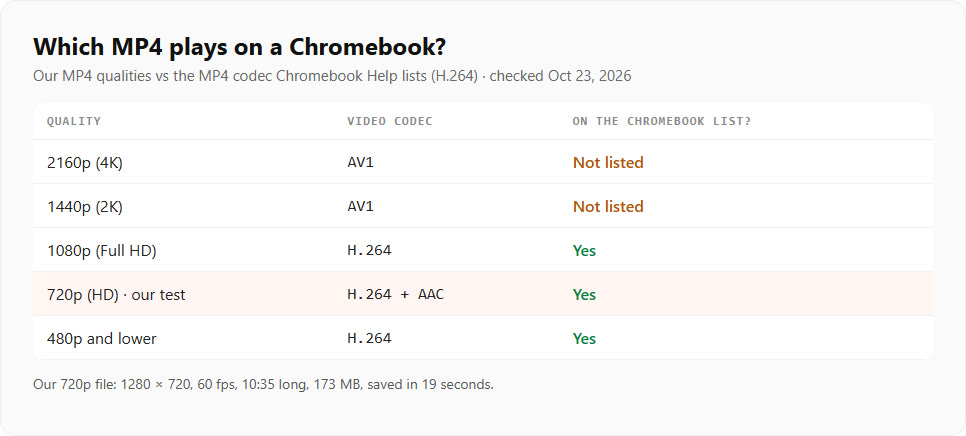
If you need 2K or 4K, try the WebM tab instead: Chromebook Help lists WebM with VP8 and VP9. For most Chromebook screens, 1080p already looks sharp.
How to download audio from YouTube on a Chromebook
Want only the sound, like music or a lecture? To convert a YouTube video to MP3 on Chromebook, open the Audio · MP3 tab in the downloader, or use YouTube to MP3 directly. MP3 and M4A are both on the Chromebook Help list of media files, so they open straight from the Files app. Our full guide on how to download music from YouTube covers tags, covers and quality.
How to download YouTube videos without Premium on a Chromebook
The web downloader above doesn't need Premium. It saves a normal file you can keep, copy or play in any app. Use it for your own uploads, Creative Commons videos and anything you have permission to save.
Downloading with YouTube Premium on a Chromebook
If you pay for Premium, YouTube Help says you can download in Chrome on a computer:
- Go to youtube.com, signed in to your Premium account.
- Open the video and click Download below it.
- Find your videos later under Downloads in the left menu.
These downloads stay inside YouTube. They play only while signed in to the same account, and up to 29 days offline before you must reconnect. More on that in our guide to watching YouTube offline.
Can you download YouTube videos on a school Chromebook?
Maybe not. Chromebook Help warns that on work or school Chromebooks, some files might not work, and points you to your administrator. Schools can block downloads or sites. If a download is blocked, ask your teacher or IT team. Don't try to get around school rules.
Troubleshooting
| What you see | Why | Fix |
|---|---|---|
| The video won't play | 4K or 2K MP4 uses AV1 | Save 1080p or 720p MP4, or use WebM |
| "Unknown file type" | The format isn't supported | Pick MP4 (H.264) or MP3 |
| The file disappeared | Downloads was cleared to free space | Move videos out of Downloads; change the default folder |
| Not enough space | Big files on a small drive | Choose 720p, or save to My Drive |
| Download blocked | School or work rules | Ask your administrator |
Is it legal to download YouTube videos on a Chromebook?
The device doesn't change the rules. Download your own videos, Creative Commons videos and videos you have permission to save. For everything else, YouTube Premium is YouTube's own way to watch offline.
What we'd do
Paste the link, save MP4 at 1080p or 720p, then move the file from Downloads to a folder you keep. Use MP3 for audio only, and leave extra room for 60 fps videos. On a laptop that isn't a Chromebook, see how to download YouTube videos on a PC.
Questions
How do I download a YouTube video on a Chromebook?
Copy the video link in Chrome, paste it into a web YouTube downloader, choose MP4 at 1080p or 720p and click Download. The file goes to Downloads in the Files app.
Why did my downloaded video disappear from my Chromebook?
Chromebook Help says files in Downloads can be deleted when the Chromebook runs out of space. Move videos to another folder, such as My Drive, or change Chrome's default download folder.
Which video quality works best on a Chromebook?
1080p or 720p MP4. Both use H.264, the MP4 codec Chromebook Help lists. Our 4K and 2K MP4s use AV1, which is not on that list.
Can I download YouTube videos on a Chromebook without Premium?
Yes, with a web downloader, for your own videos, Creative Commons videos and videos you have permission to save. Premium downloads only play inside YouTube.
Can I download YouTube videos on a school Chromebook?
It depends on your school. Administrators can block downloads. If it is blocked, ask your teacher or IT team.