How to Watch YouTube Offline Legally (Premium or Free, 2026)
How to watch YouTube offline legally: Premium downloads (29 days), your own videos, and Creative Commons videos as MP4. Steps, sizes and download fixes.
 Simone MatthewContent & video creator at Tube Snip· · 5 min read
How to watch YouTube offline legally: the official way is YouTube Premium. Tap Download under a video in the YouTube app, and it plays without internet for up to 29 days. Without Premium, you can still watch offline legally with videos you're allowed to keep as files: your own uploads, and Creative Commons videos saved as MP4. In our test, a 10-minute Creative Commons video saved at 480p for a phone in 19 seconds and took 56 MB.
Below are all the legal ways side by side, the exact steps for each, where downloads go, how Smart downloads work, and what to do when downloads disappear.
Four legal ways to watch YouTube offline
| Way | Cost | Works for | Where the video lives | How long |
|---|---|---|---|---|
| YouTube Premium downloads | Paid | Most videos | Inside the YouTube app | Up to 29 days offline, then reconnect |
| YouTube Music Premium | Paid | Songs, albums, podcasts | Inside the YouTube Music app | Until you've been offline 30 days |
| Your own uploads (YouTube Studio) | Free | Videos you uploaded | An MP4 on your device | Forever |
| Creative Commons videos as MP4 | Free | Videos licensed for reuse | An MP4 on your device | Forever |
YouTube's terms don't allow downloading other videos unless YouTube shows a download button or link, or the owner gives permission. So for a normal music video or vlog, Premium is the legal route; for your own and Creative Commons videos, a file is fine.
How to watch YouTube offline with YouTube Premium
- Open the YouTube app and sign in with your Premium account.
- Open the video and tap Download under the player.
- Pick a quality. Higher quality takes more space and longer to download.
- Find it later under your profile picture → Library → Downloads (the Downloaded filter).
Downloaded videos play offline for up to 29 days. After that, connect to the internet once so YouTube can check your membership. In some countries and regions the offline window is 48 hours instead, according to YouTube Help.
To set a default quality, go to Settings → Background & downloads → Download quality.
What are Smart downloads on YouTube?
With Premium, Smart downloads saves recommended videos to your phone automatically, so you have something to watch when you're offline. If it fills your storage, turn it off or limit it: go to Downloads → Settings in the YouTube app, or set a size under Settings → Background & downloads.
Where do YouTube downloads go?
Inside the YouTube app only: the YouTube downloads location is Library → Downloads. They're stored in the app's own space, not as files: you won't find them in your phone's gallery or Files app, and you can't copy, edit or share them. If you need a real file, see the methods below.
How to watch YouTube offline without Premium (legally)
Find videos you're allowed to keep
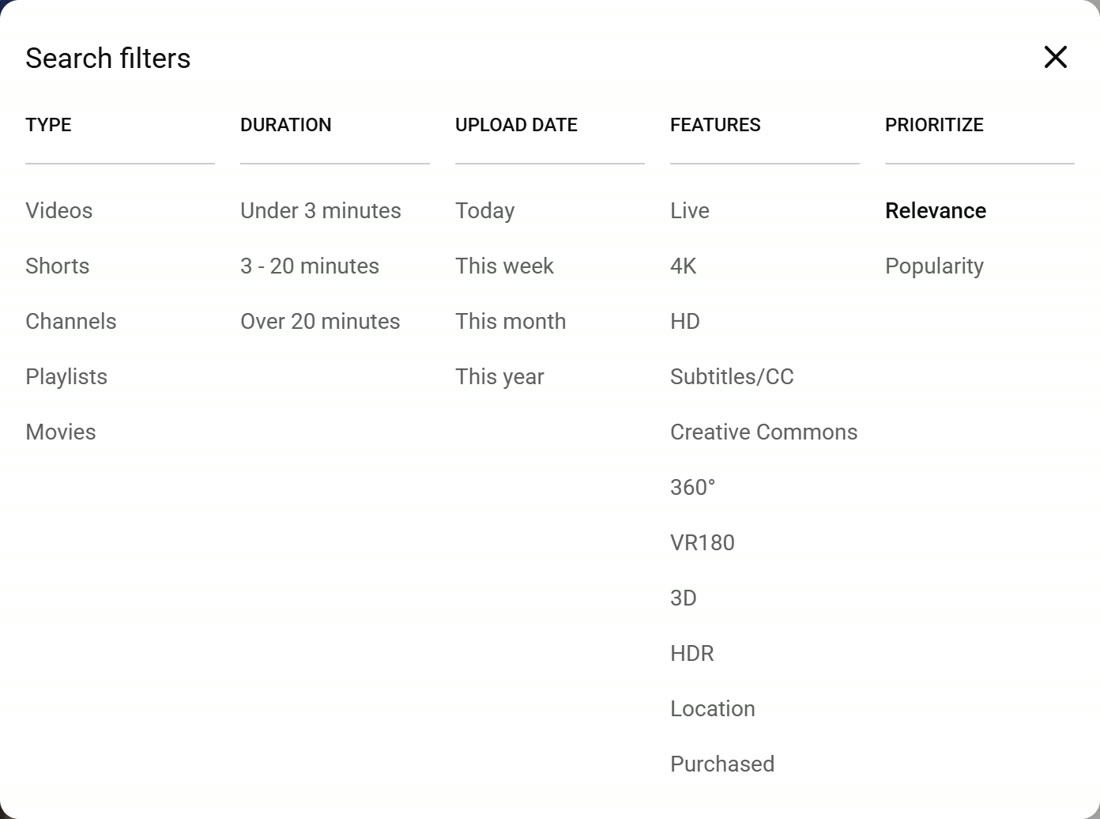
On YouTube, search for a topic, click Filters and choose Creative Commons under Features. The results are videos the creator has licensed for reuse, with credit.
Your own uploads count too: in YouTube Studio, open Content, click a video's ⋮ menu and choose Download to get an MP4 (720p or 360p).
Check the licence on Tube Snip
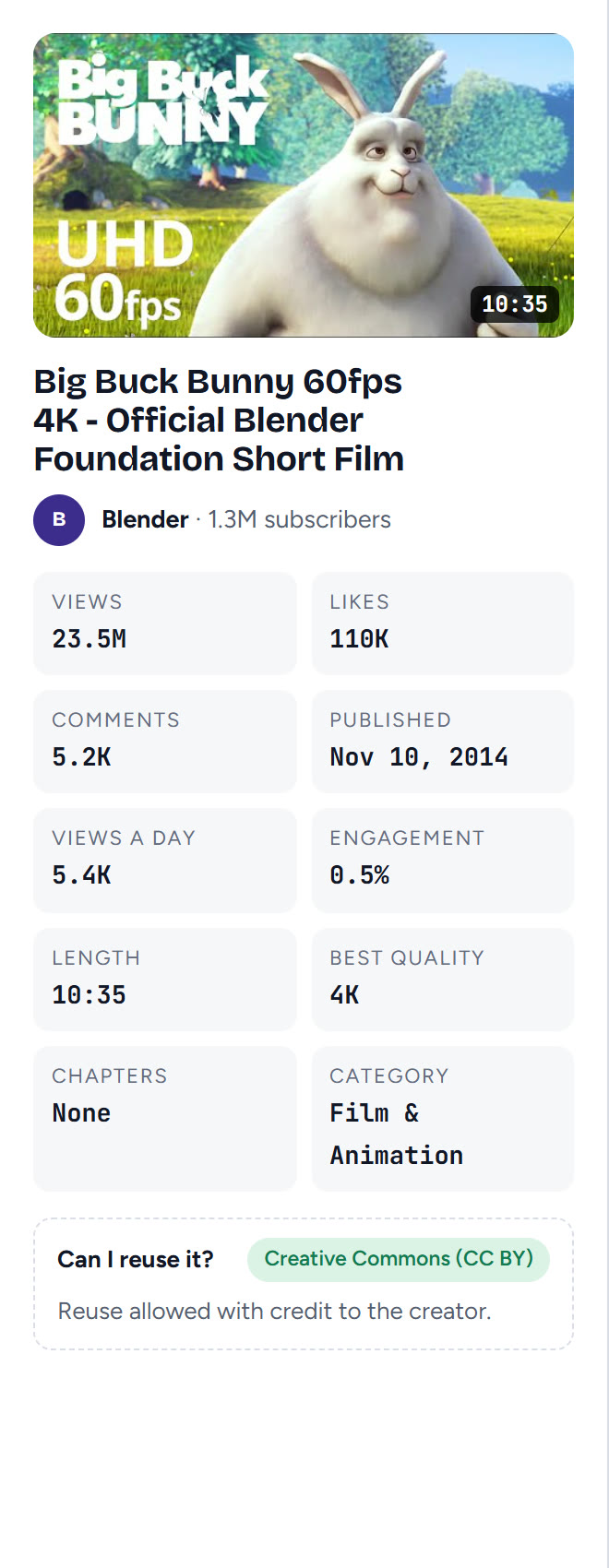
Paste the video's link into the YouTube video downloader. The card shows the licence under "Can I reuse it?". Our test video, Big Buck Bunny, showed Creative Commons (CC BY): reuse is allowed with credit to the creator.
Pick a small quality for offline watching
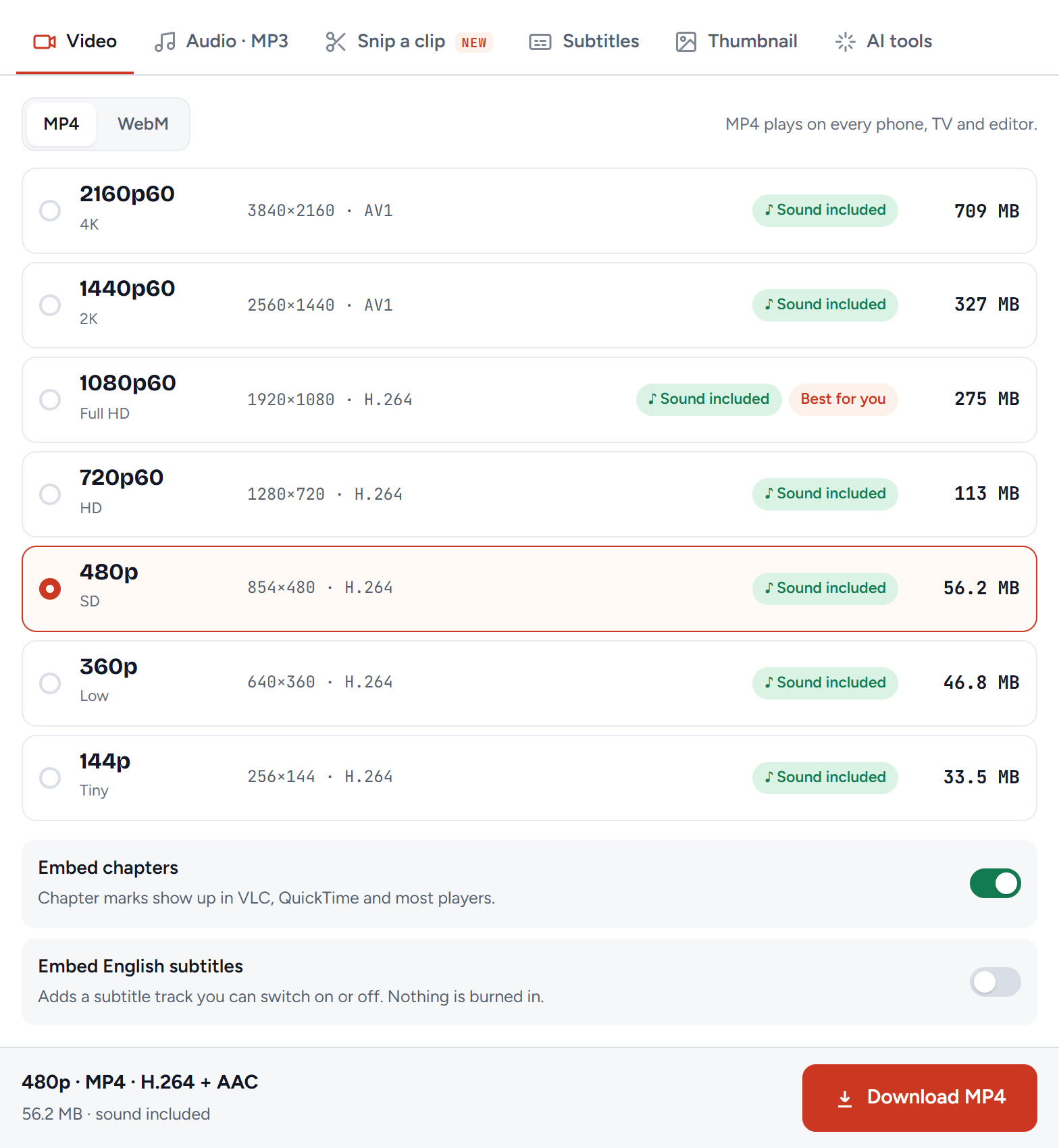
For a phone or tablet, 480p looks fine and saves a lot of space; pick 720p for a laptop. Keep MP4 so it plays on every device.
Download it and watch it anywhere
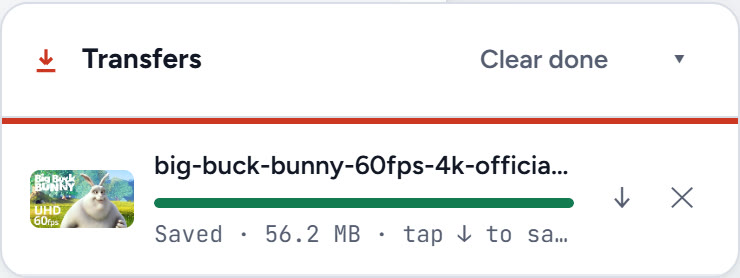
Click Download MP4. When it says Saved, the video is a normal file: watch it on a plane, copy it to a phone, a USB stick or a tablet, and it never expires.
On a phone, follow our iPhone guide to move the file into Photos; on a computer, see the PC guide.
How much space do offline videos take?
| Quality | Per minute (about) | 10-minute video | Good for |
|---|---|---|---|
| 480p | 5 MB | 56 MB | Phones, long trips, small storage |
| 720p | 16 MB | 173 MB | Tablets and laptops |
| 1080p | 26 MB | 275 MB | TVs and big screens |
Sizes are from our Big Buck Bunny tests; videos with less movement come out smaller.
How to watch YouTube offline on a PC
YouTube Premium also downloads on a computer, in Chrome, Edge, Firefox and Opera. Click Download under the video; it stays inside YouTube.com and plays offline for up to 29 days. For Creative Commons and your own videos, the MP4 steps above work on a PC too.
How to listen to YouTube Music offline
Downloading songs in the YouTube Music app needs YouTube Music Premium (or YouTube Premium). Downloads stay in the app, and you need to go online at least once every 30 days. Without Premium, the legal options are your own tracks, Creative Commons music, and free music from the YouTube Audio Library; our guide on how to download music from YouTube covers them.
YouTube downloads not working or "No downloads found"
| What you see | Why | Fix |
|---|---|---|
| "No downloads found" | You're signed in with a different account, or the downloads expired | Sign in with your Premium account and reconnect to the internet |
| Downloads vanished after a trip | You were offline longer than 29 days (48 hours in some regions) | Reconnect, then download again |
| A video disappeared from Downloads | It's no longer available offline; YouTube removes it at the next sync | Watch it online, or pick another video |
| No Download button | No Premium on this account, or the video can't be downloaded | Check your membership, or use a Creative Commons file |
| Downloads stop halfway | Low storage or lost connection | Free up space, stay on Wi-Fi |
| The MP4 file won't play on the phone | You picked WebM | Download MP4 instead |
Is it legal to watch YouTube offline?
Yes, when you use YouTube's own download feature (Premium), your own videos, or videos the owner allows you to download, like Creative Commons videos. Saving other people's videos as files without permission goes against YouTube's terms, even just to watch offline.
What we'd do
If you watch a lot on the go, Premium is the simple legal answer: tap Download, and reconnect once a month. For lessons, open movies and your own videos, use the Creative Commons filter and keep a 480p MP4 on your phone: no expiry, no app needed.
Questions
Can you watch YouTube offline?
Yes. With YouTube Premium, tap Download under a video and it plays without internet for up to 29 days. Without Premium, you can watch your own uploads and Creative Commons videos offline by saving them as MP4.
How do I watch YouTube offline without Premium?
Use videos you are allowed to keep: filter YouTube search by Creative Commons, or download your own uploads from YouTube Studio. Save them as MP4 (480p is about 5 MB per minute) and play them in any video player.
Where do YouTube downloads go?
Premium downloads stay inside the YouTube app, under your profile picture → Library → Downloads. They are not files, so they do not show up in your gallery or Files app.
How long do YouTube downloads last?
Up to 29 days offline, according to YouTube Help (48 hours in some countries and regions). Reconnect to the internet to keep them, and videos that are no longer available offline are removed at the next sync.
What are Smart downloads on YouTube?
A Premium feature that downloads recommended videos to your phone automatically, so you have something to watch offline. You can turn it off or limit its storage in the YouTube app settings.
Can you listen to YouTube Music offline?
Yes, with YouTube Music Premium or YouTube Premium: download songs in the YouTube Music app and go online at least once every 30 days. Without Premium, use your own or Creative Commons music.