YouTube Thumbnail Size 2026: Dimensions, Shorts, How to Make
YouTube thumbnail size in 2026: 3840×2160 (16:9), at least 640 px wide, JPG or PNG up to 50 MB; Shorts 2160×3840. Plus how to make, upload and change one.
 Simone MatthewContent & video creator at Tube Snip· · 5 min read
The YouTube thumbnail size is 3840 × 2160 pixels (16:9), according to YouTube Help in 2026, with a minimum width of 640 pixels. Upload it as a JPG or PNG, up to 50 MB from a computer or 2 MB from the YouTube app. For Shorts, a custom thumbnail is 2160 × 3840 (9:16). The old answer, 1280 × 720, still matters too: it's the largest thumbnail YouTube actually shows to viewers, as our test below found.
Whether you searched for YouTube thumbnail dimensions, resolution or just "yt thumbnail size", the answer is the same. Below is a quick size table, how to make a thumbnail that reads well when it's tiny, how to upload or change it (including on Shorts), and the fonts and mistakes that make thumbnails hard to read.
YouTube thumbnail size and dimensions at a glance
| Long videos | Shorts | |
|---|---|---|
| Recommended size | 3840 × 2160 px | 2160 × 3840 px |
| Aspect ratio | 16:9 | 9:16 |
| Minimum | 640 px wide | 640 px tall |
| File types | JPG or PNG | JPG or PNG |
| Largest file | 50 MB from a computer, 2 MB from the app | 50 MB from a computer |
| Where to add it | YouTube Studio or the YouTube app | YouTube Studio on a computer only |
| Account | Must be verified | Must be verified |
What about 1280 × 720? Older guides (and older versions of YouTube Help) give 1280 × 720 as the thumbnail size. It still works: it's 16:9 and well above the minimum. And it's the largest size YouTube serves publicly. In our test, the biggest thumbnail available for two different videos was 1280 × 720.
How to make a YouTube thumbnail, step by step
Start a 16:9 canvas
In any editor (Canva, Photoshop, Photopea, Figma, even PowerPoint), create a canvas of 3840 × 2160 pixels. If your computer struggles with large images, 1920 × 1080 or 1280 × 720 are fine too: what matters is the 16:9 shape. To resize an image for a YouTube thumbnail, crop it to 16:9 first and then scale it; stretching a 4:3 photo to fit makes faces look wide.
Pick a sharp frame from your video
A real moment from the video works better than a stock photo, and it shows viewers what they'll get. Pick a frame where the subject is sharp and large. Leave one side fairly empty for text.
Add two to four big words
Write a short line that adds to the title, not one that repeats it (our YouTube title generator helps you write the title first, so the two work together). Use a thick, bold font with a dark outline so it reads on any background. Keep text and faces away from the bottom-right corner: YouTube puts the video length there.

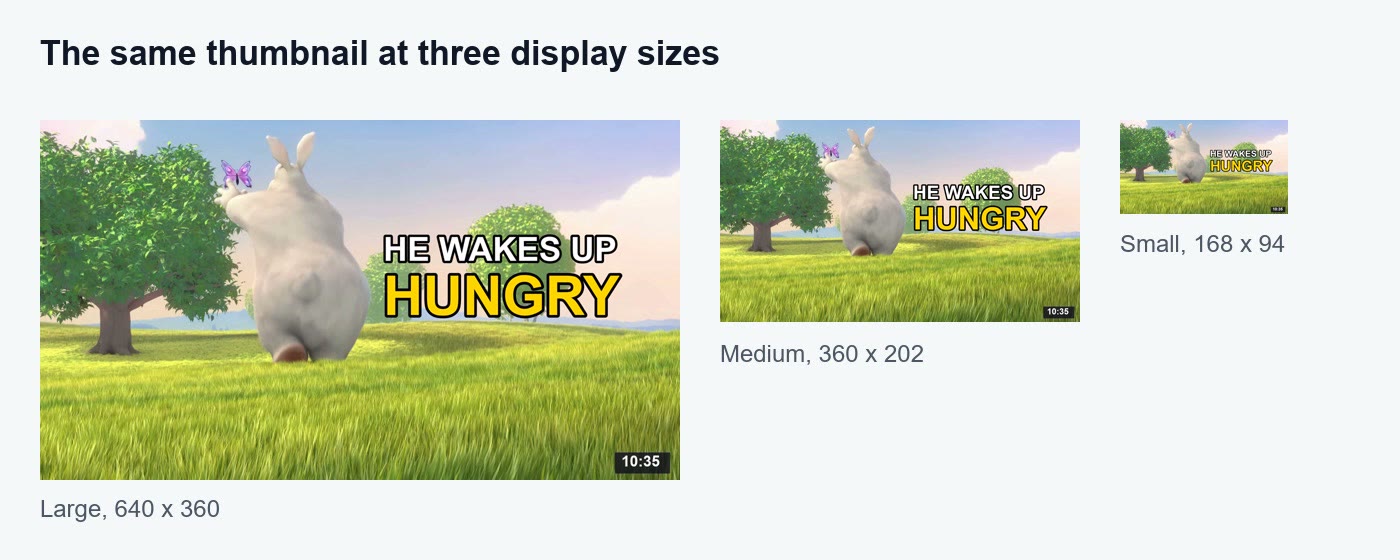
Check it at small sizes
Most people see your thumbnail small: in search, in the sidebar, on a phone. Shrink it and look again. If you can't read the words or see the subject at the smallest size, simplify.
Export as JPG (the best YouTube thumbnail format)
Export as JPG at high quality. JPG keeps a 4K thumbnail small; PNG is lossless but much bigger.
Upload it in YouTube Studio
- Sign in to YouTube Studio.
- Click Content in the left menu.
- Open the video and click the edit (pencil) icon.
- Under Thumbnail, click Upload file (or Get suggestions).
- Click Save.
If you don't see Upload file, your account isn't verified yet: YouTube only allows custom thumbnails on verified accounts. While you're on that page, the YouTube description generator can draft the description to match.
Check the sizes YouTube made from it
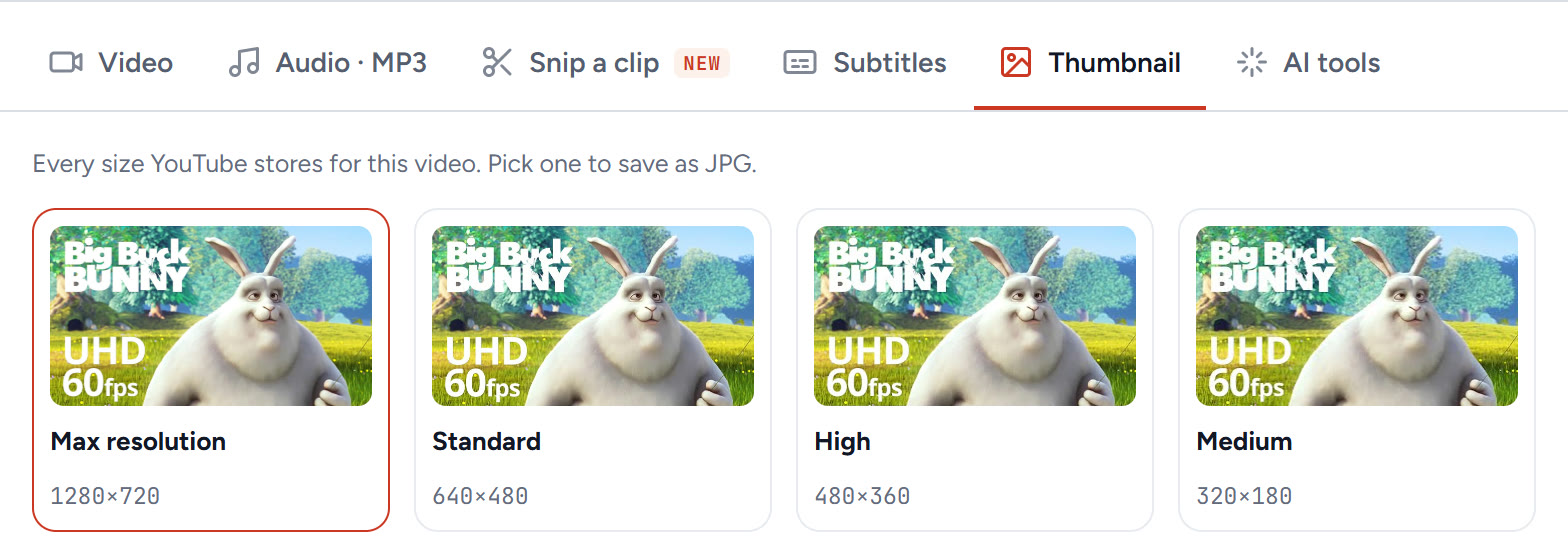
YouTube stores several copies of every thumbnail, at a lower resolution than what you upload. Paste your video's link into the YouTube thumbnail downloader to see them all: for our test video they were 1280 × 720, 640 × 480, 480 × 360, 320 × 180 and 120 × 90. Check the small ones: that's what most viewers see.
YouTube Shorts thumbnail size and how to change it
A custom Shorts thumbnail is 2160 × 3840 pixels (9:16), at least 640 pixels tall, as JPG or PNG. According to YouTube Help, you can currently add a custom Shorts thumbnail only in YouTube Studio on a computer, and your account must be verified:
- In YouTube Studio, open Content and the Shorts tab.
- Click the Short's edit icon.
- Under Thumbnail, upload your 9:16 image and click Save.
How to change a thumbnail on YouTube
Changing works like adding: open the video in YouTube Studio → Content → edit icon → Thumbnail → Upload file → Save. The new thumbnail can take a few minutes to show everywhere. To try more than one design on the same video, look for Test & compare in YouTube Studio's thumbnail section.
Best fonts for YouTube thumbnails
There's no official font. What reads best small:
- Thick sans-serif fonts, such as Arial Black, Montserrat ExtraBold, Bebas Neue or Impact.
- Two colours at most, with a dark outline or shadow.
- Big letters: as a rule of thumb, words smaller than about a tenth of the thumbnail's height get hard to read at small sizes.
Thin, script and handwritten fonts look good large and disappear in search results.
Thumbnail mistakes that cost clicks
| Mistake | Why it hurts | Fix |
|---|---|---|
| Text in the bottom-right corner | The video length badge covers it | Keep text in the top or middle |
| Too many words | Unreadable when small | Two to four words |
| Same words as the title | Wastes the space | Add something the title doesn't say |
| Blurry or dark frame | Looks low quality next to others | Pick a sharp, bright frame |
| Wrong shape (4:3 or square) | YouTube adds black bars | Use 16:9 (9:16 for Shorts) |
| PNG over 2 MB uploaded from the app | Upload fails | Export as JPG, or upload from a computer |
Are YouTube thumbnails measured in inches?
No. Screens show images in pixels, so YouTube's rules are in pixels: 3840 × 2160 recommended, at least 640 pixels wide. Inches only matter for printing.
What we'd do
Make every thumbnail at 3840 × 2160 as a JPG, put two to four big words away from the bottom-right corner, and check it at a tiny size before uploading. For Shorts, upload a 9:16 thumbnail from YouTube Studio on a computer.
Questions
What is the YouTube thumbnail size?
YouTube recommends 3840 × 2160 pixels (16:9) for video thumbnails, at least 640 pixels wide, as JPG or PNG. Files can be up to 50 MB from a computer or 2 MB from the YouTube app.
Is 1280 × 720 still a good YouTube thumbnail size?
Yes. It is 16:9 and above the 640-pixel minimum, and it is the largest thumbnail YouTube serves publicly. YouTube now recommends 3840 × 2160 for uploads.
What is the YouTube Shorts thumbnail size?
2160 × 3840 pixels (9:16), at least 640 pixels tall, as JPG or PNG. Custom Shorts thumbnails can currently be added only in YouTube Studio on a computer, with a verified account.
What is the YouTube thumbnail aspect ratio?
16:9 for regular videos and 9:16 for Shorts. Other shapes get black bars or are cropped.
Why can't I upload a custom thumbnail?
Custom thumbnails need a verified account. Also check the file: JPG or PNG, at least 640 pixels wide, under 50 MB from a computer or 2 MB from the app.
How do I change a thumbnail on YouTube?
In YouTube Studio, open Content, click the video's edit icon, choose Upload file under Thumbnail and click Save. For Shorts, do it in YouTube Studio on a computer.