How to Add Chapters to YouTube Videos (Rules + Format, 2026)
How to add chapters to YouTube videos: paste timestamps from 00:00 into the description. YouTube's rules, a copy-paste format and fixes if they don't show.
 Simone MatthewContent & video creator at Tube Snip· · 5 min read
How to add chapters to YouTube videos: in YouTube Studio, open the video, paste a list of timestamps and titles into the Description, starting with 00:00, and click Save. YouTube turns that list into chapter markers on the progress bar and a Chapters row in the description. You need at least three timestamps, in order, and each chapter must be at least 10 seconds long.
Below are the exact rules from YouTube, a copy-paste format, the steps, how to check the chapters worked, how automatic chapters work, and what to do when chapters don't show.
YouTube chapter rules (from YouTube Help)
| Rule | What it means |
|---|---|
| First timestamp is 00:00 | The first chapter must start at the very beginning |
| At least 3 timestamps | Two timestamps won't create chapters |
| In ascending order | Each time later than the one before |
| Each chapter at least 10 seconds | Very short sections break the list |
| No active strikes on the channel | Channels with active strikes don't get chapters |
| Content suitable for all viewers | Videos that may be inappropriate for some viewers don't get chapters |
If you add your own chapters, they replace YouTube's automatic chapters for that video.
YouTube chapters format (copy and paste)
Write one chapter per line: the time, a space, then the title.
00:00 Intro
00:45 What you need
02:10 Step 1: Set up the camera
05:30 Step 2: Record the audio
09:15 Common mistakes
12:40 Final result
Use 00:00 for minutes and seconds, or 1:02:15 once the video is over an hour. Keep titles short and clear; they show up on the progress bar when viewers hover over it.
How to add chapters to YouTube videos, step by step
Write your timestamps
Play your video and note where each new topic starts. Write the list in the format above, starting at 00:00.
To skip the note-taking, the YouTube chapters generator reads the video's transcript and writes a timestamped list ready to paste into a description. It's an AI tool: a chapters run costs 3 credits, and a free account starts with 15. Always check the times and titles before you publish. If you're rewriting the whole description anyway, the YouTube description generator writes one with the chapters included.

Paste the list into the description in YouTube Studio
- Sign in to YouTube Studio.
- In the left menu, click Content.
- Click the video you want to edit.
- Paste the list into the Description box.
- Click Save.
You can put the list anywhere in the description, but near the top is easiest for viewers to find.
Check that the chapters show on the video
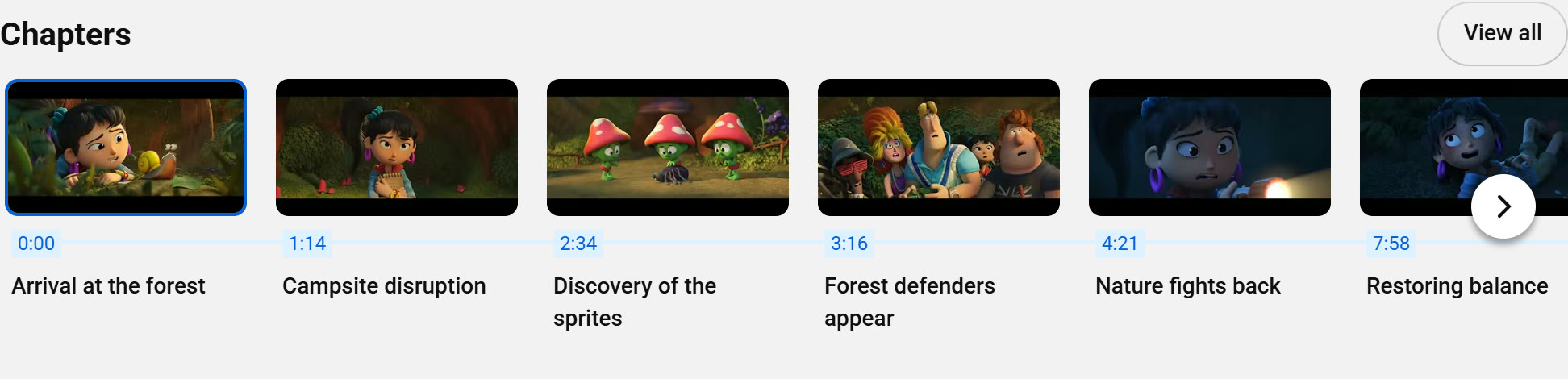
Open the video on YouTube. The progress bar is split into sections, and under the description there's a Chapters row with a picture and a start time for each one. Viewers can click a chapter to jump to it.
Count the chapters with Tube Snip
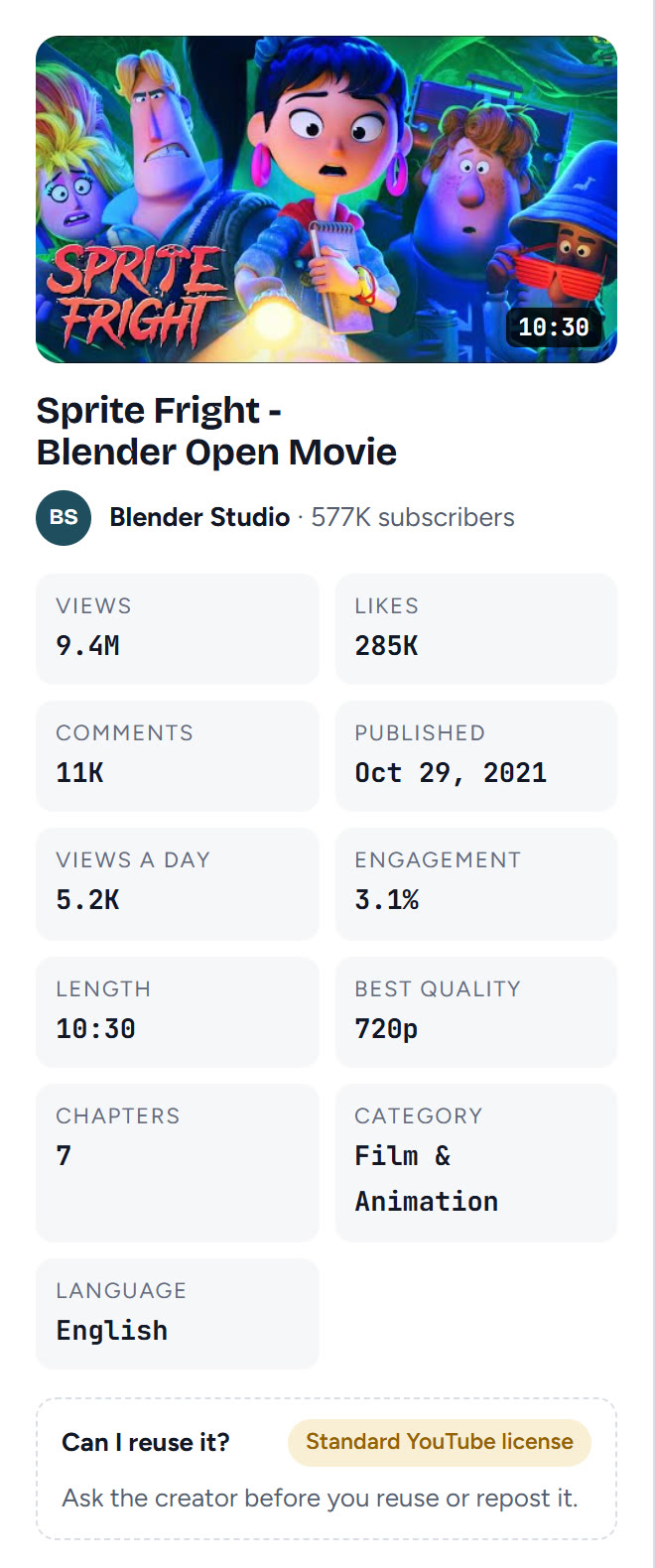
Paste the video's link into the YouTube video downloader. The video card shows a Chapters count, so you can check at a glance that YouTube picked them all up, without counting by hand.
Automatic chapters: how to turn them on or off
YouTube can add chapters by itself to eligible videos. According to YouTube Help:
- For one video: in YouTube Studio, open the video, click Show more, and tick or untick Allow automatic chapters under Automatic chapters. Then save. It's ticked by default for new uploads.
- For all new uploads: go to Settings → Upload defaults → Advanced settings and untick Allow automatic chapters (when available and eligible).
Not every video gets automatic chapters, even when the box is ticked. Your own timestamps always win: as soon as you add them, they replace the automatic ones.
Why are my YouTube chapters not showing?
| What you see | Why | Fix |
|---|---|---|
| No chapters at all | The first timestamp isn't 00:00 | Make the first line start with 00:00 |
| No chapters at all | Fewer than three timestamps | Add at least three |
| The list stops working halfway | Times aren't in ascending order | Put every line in time order |
| Chapters missing | A chapter is shorter than 10 seconds | Merge it with the one before or after |
| Chapters missing on one channel only | The channel has an active strike | Chapters come back when the strike expires |
| Chapters missing on one video | It may be inappropriate for some viewers | Chapters aren't available for that video |
| Wrong chapters appear | YouTube's automatic chapters are showing | Add your own timestamps, or turn automatic chapters off |
| Changes don't show yet | YouTube is still processing the update | Refresh the watch page after a few minutes |
How do YouTube chapters help?
- Viewers find the part they want instead of leaving. Long tutorials, podcasts and lessons gain the most.
- Google can show chapters in search results, linking straight to a moment in your video.
- Viewers can skip between chapters with the next chapter shortcut: Ctrl + → and Ctrl + ← on Windows, or Option + → and Option + ← on a Mac, according to YouTube's keyboard shortcuts.
Adding chapters to YouTube video copies you download
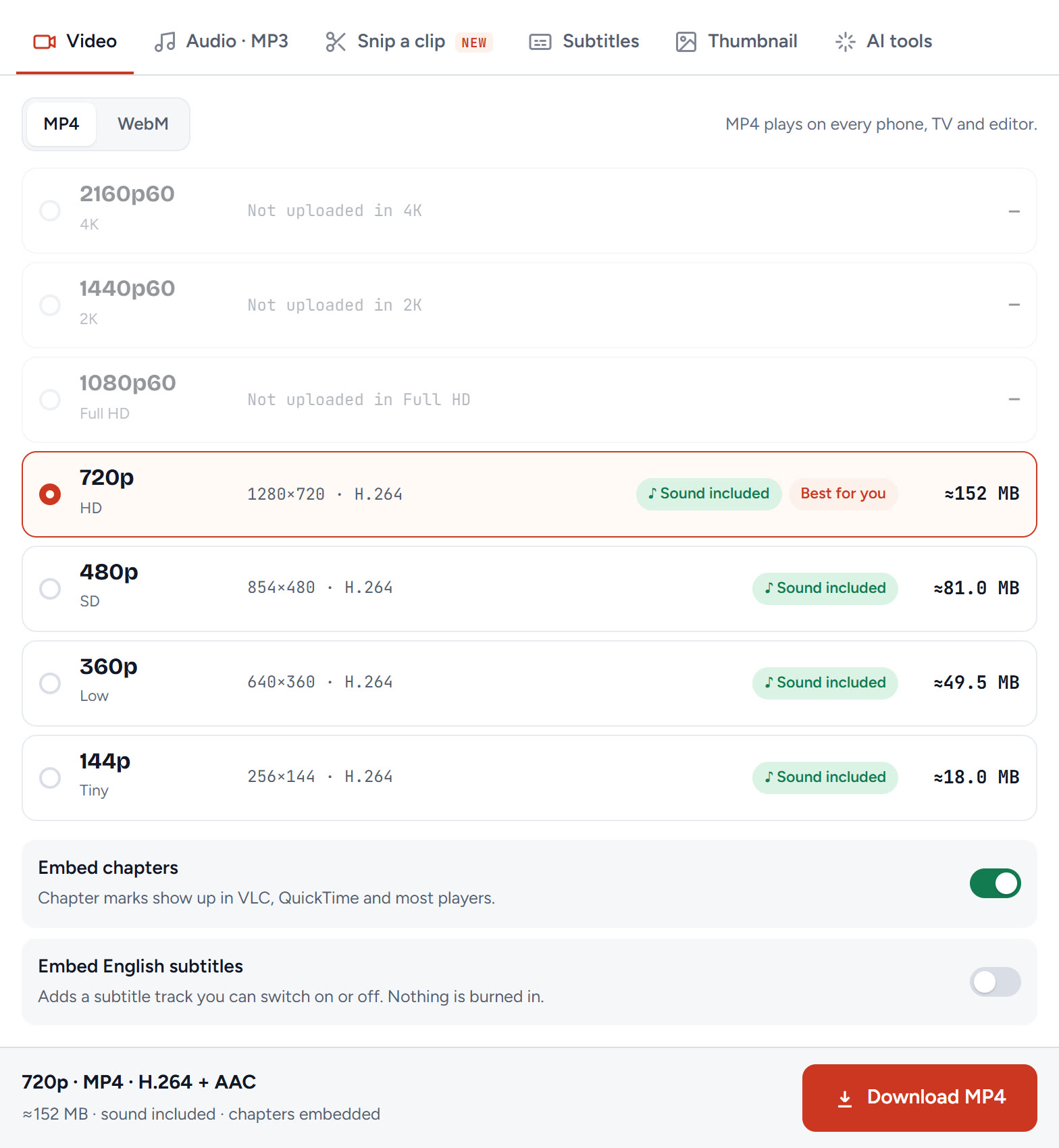
If you save a copy of your own video, for an archive, a course platform or editing, you can keep the chapters in the file. Our guide on downloading YouTube videos on a PC covers the rest of the steps. On Tube Snip, leave Embed chapters on before you click Download MP4. The chapter marks then show up in VLC, QuickTime and most players.
Can you add chapters on your phone?
YouTube's help page describes the steps for YouTube Studio on a computer. The chapters themselves are just lines in the description, so the same list works wherever you edit the description. They show for viewers on phones, tablets, TVs and computers alike.
What we'd do
Write the list while you edit the video, start it at 00:00, keep every chapter at least 10 seconds, and paste it near the top of the description. Then open the watch page once to check the Chapters row, and let YouTube's automatic chapters cover older videos you don't have time to update.
Questions
How do I add chapters to my YouTube video?
In YouTube Studio, go to Content, open the video and paste a list of timestamps and titles into the description, starting with 00:00. Click Save. YouTube turns the list into chapters.
What is the format for YouTube chapters?
One line per chapter: the time, a space and the title, for example "00:00 Intro", "02:10 Setup". Start at 00:00, list at least three times in ascending order, and keep each chapter at least 10 seconds.
Why are my YouTube chapters not showing?
Usually the first timestamp is not 00:00, there are fewer than three timestamps, the times are out of order, or a chapter is under 10 seconds. Channels with active strikes and videos that may be inappropriate for some viewers do not get chapters.
How do I turn off automatic chapters on YouTube?
For one video, open it in YouTube Studio, click Show more and untick Allow automatic chapters. For all uploads, untick it in Settings → Upload defaults → Advanced settings. Your own timestamps also replace automatic chapters.
Can I add timestamps to a YouTube video I already published?
Yes. Edit the description of the published video in YouTube Studio, paste the timestamps and save. The chapters appear once YouTube has processed the change.