Cobalt Tools Alternative: 4 Picks That Work With YouTube
Need a Cobalt Tools alternative? YouTube is missing from cobalt.tools’ supported services. Here is why, and 4 tools that still save YouTube videos.
 Simone MatthewContent & video creator at Tube Snip· · 4 min read
Looking for a Cobalt Tools alternative because YouTube links stopped working? You are not doing anything wrong. On October 17, 2026 we opened cobalt.tools and checked its "supported services" list: TikTok, Instagram, Reddit, SoundCloud, Vimeo, X and more are there, but YouTube is not. This page explains why, and which tools still save YouTube videos.
What happened to Cobalt and YouTube
Cobalt is a free, open-source downloader with no ads and no tracking. That is why so many people liked it. For years you could paste almost any link, YouTube included, and get a clean file.
Then YouTube started to fight downloaders harder. Cobalt's own changelog for version 11.2 tells the story. YouTube downloading came back for a short time in mid-2025, and then the team wrote that "youtube is unavailable on the main instance again". They point at two changes on YouTube's side: SABR, a new way YouTube streams video that the server controls, and stricter "PO token" checks that block requests that do not look like a real YouTube app.
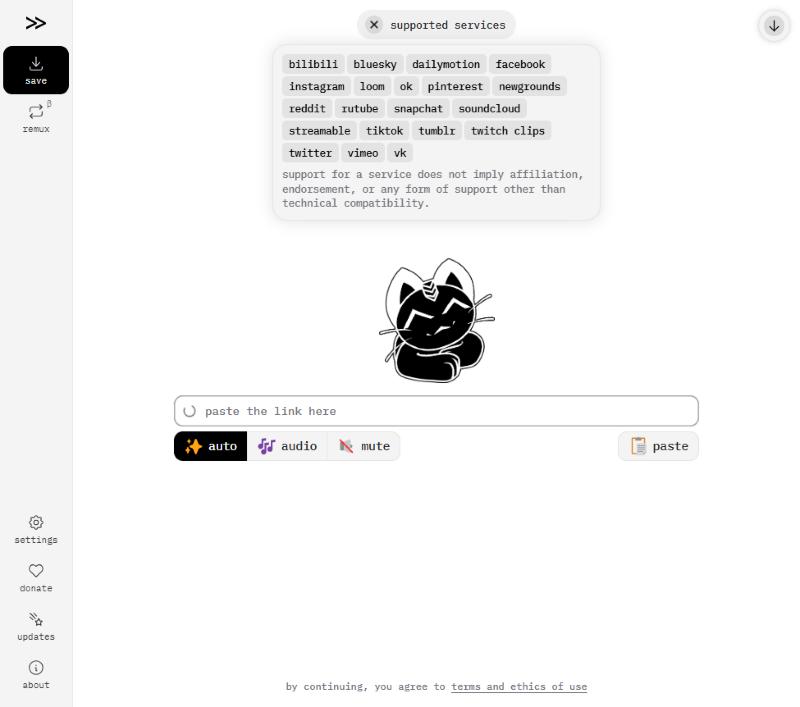
So "cobalt not working on YouTube" is not a bug on your side. The public site simply does not offer YouTube right now. The other services in its list are still on offer.
What we checked
We looked at each option on the same day, October 17, 2026:
- cobalt.tools: home page, supported services list and changelog. Google Safe Browsing: "No unsafe content found". The page runs a Cloudflare check before it processes links.
- The alternatives below: what they cost, whether they show ads, what limits they have, and whether they work for YouTube today.
We did not install cracked apps or browser extensions, and we would not recommend any that asks for your Google password.
Cobalt Tools alternatives that work with YouTube
Here is the quick comparison, then a card for each tool. Every one of them handles YouTube today.
| Tool | Price | Ads and pop-ups | Limits | Best for |
|---|---|---|---|---|
| Tube Snip | Free: 20 downloads an hour | No pop-ups or redirects | 20 downloads an hour on free use | One video, any device |
| yt-dlp | Free, open source | None | None of its own; YouTube may slow you down | Power users, whole channels |
| 4K Video Downloader Plus | Free Starter; paid from €18.75 a year | Free version: yes (ad-free is paid) | Free: daily download cap | Big queues on a computer |
| YouTube Premium | Paid monthly plan | None | Videos stay inside the YouTube app | Offline viewing only |
| Cobalt Tools | Free, open source | None | No YouTube on the main site | TikTok, Instagram, X, Reddit |
Tube Snip
Best for: One video, any deviceOur own tool, so weigh that. Paste a link, see the file size and the video’s license, then save MP4 or MP3.
- Price
- Free: 20 downloads an hour
- Ads and pop-ups
- No pop-ups or redirects
- Limits
- 20 downloads an hour on free use
- Safety
- Runs in the browser; nothing to install
- Shows file size and license before you download
- MP4 up to 4K with sound; MP3 up to 320 kbps
- Works on iPhone, Android and computers
- Hourly limit on free use
- A web tool: no background queue for whole channels
yt-dlp
Best for: Power users, whole channels- Price
- Free, open source
- Ads and pop-ups
- None
- Limits
- None of its own; YouTube may slow you down
- Safety
- Get it only from its GitHub page
- Free and open source
- Works with thousands of sites
- Updated very often
- Command line only
- Needs ffmpeg for the best quality
- YouTube’s bot checks can block it
4K Video Downloader Plus
Best for: Big queues on a computer- Price
- Free Starter; paid from €18.75 a year
- Ads and pop-ups
- Free version: yes (ad-free is paid)
- Limits
- Free: daily download cap
- Safety
- Download only from 4kdownload.com
- Desktop app for Windows and Mac
- Playlists, channels and subtitles
- One-time license option
- Needs an install
- Free plan has a daily cap
- Some features ask you to sign in to YouTube
YouTube Premium
Best for: Offline viewing only- Price
- Paid monthly plan
- Ads and pop-ups
- None
- Limits
- Videos stay inside the YouTube app
- Safety
- Official
- Official and allowed by YouTube
- No ads on YouTube
- No MP4 file you can keep or edit
- Downloads expire if you stay offline too long
Cobalt Tools
Best for: TikTok, Instagram, X, Reddit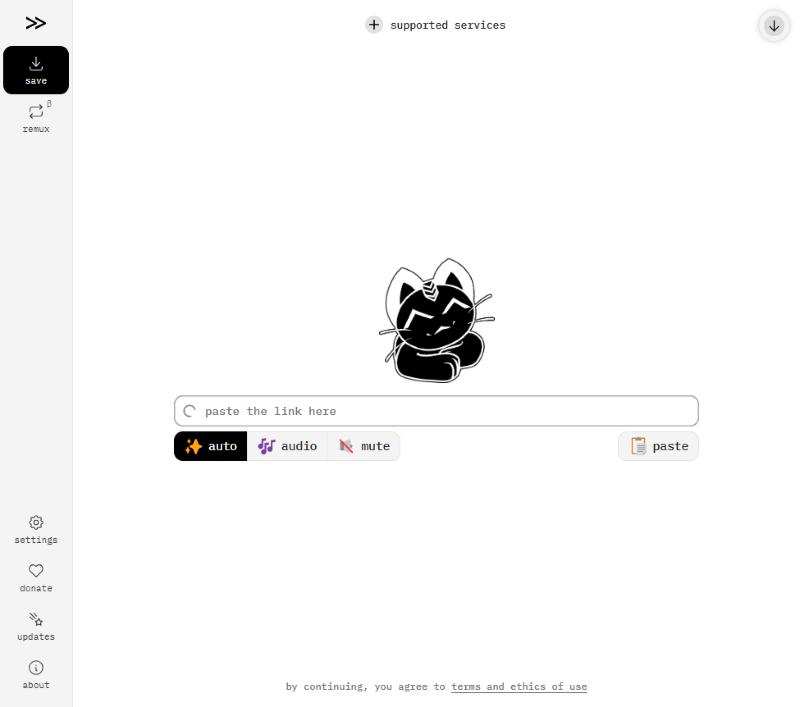
- Price
- Free, open source
- Ads and pop-ups
- None
- Limits
- No YouTube on the main site
- Safety
- Domain not flagged in Safe Browsing (Oct 17, 2026)
- No ads and no tracking
- Clean, simple page
- Open source
- YouTube is not in its supported services
- A bot check runs before it processes links
Should you self-host Cobalt?
Cobalt is open source, so you can run your own copy. Some people do this to get YouTube back. Be honest with yourself about the work, though:
- You need a server or a computer that is always on, and you need to update it often. YouTube changes its rules every few weeks.
- Cobalt's team itself says YouTube support may break again without warning.
- A self-hosted copy can still be blocked if YouTube decides your server looks like a bot.
If you enjoy running servers, it is a fun project. If you just want a video for a class tomorrow, a hosted tool or yt-dlp is much less trouble.
Which one should you choose?
| If you… | Pick |
|---|---|
| Want Cobalt's no-ads feel in a browser | A web tool without ads |
| Are fine with a command line | yt-dlp |
| Want a desktop app with a big queue | 4K Video Downloader Plus |
| Only need to watch offline on your phone | YouTube Premium |
| Still use Cobalt for TikTok or Instagram | Keep Cobalt for those |
A good setup for most people: keep Cobalt bookmarked for TikTok, Instagram and the other sites it supports, and use a separate YouTube tool for YouTube links.
How to switch from Cobalt in two minutes
- Keep your cobalt.tools bookmark for TikTok, Instagram, X and the other sites it lists.
- Bookmark a YouTube tool next to it, so the right one is one tap away.
- On a phone, add both to the Home Screen. Copy a link in the app, open the matching tool and paste.
- Pick MP4 for video or MP3 for audio. Check the file size before you tap Download, especially on mobile data.
That is the whole change. You lose nothing Cobalt still does well, and YouTube links work again.
What to look for in any replacement
Cobalt set a high bar, so judge any alternative by the same rules:
- No ads or pop-ups. If a site opens new tabs when you click Download, leave.
- No sign-in with your Google account. You do not need to log in to save a public video.
- Real formats. MP4 for video, MP3 or M4A for audio. Never an .exe or .apk.
- Clear limits. You should know up front how many downloads you get.
- Updated often. YouTube changes constantly. A tool last updated a year ago will break.
Cobalt for other sites still works
Cobalt still lists TikTok, Instagram, X, Reddit, SoundCloud and Vimeo, with no ads. You do not need to replace it for those. For YouTube in particular:
- Full videos: the YouTube video downloader saves MP4 up to 4K with the sound included.
- Audio only: YouTube to MP3 for music, lectures and podcasts.
- Shorts: the Shorts downloader keeps the vertical frame.
- Just one part: the clip cutter saves a start-to-end moment instead of the whole video.
Troubleshooting
| What you see | Why | Fix |
|---|---|---|
| Cobalt says the service is not supported | YouTube is not on the main instance | Use a YouTube tool for YouTube links |
| Cobalt keeps "checking if you're not a bot" | Cloudflare check | Wait, or try another browser; do not use a bot-check bypass |
| yt-dlp says "Sign in to confirm you're not a bot" | YouTube flagged your IP | Update yt-dlp and try again later; see its README |
| A replacement site opens ad tabs | It runs on ads | Close it and use a tool without ads |
Last checked October 17, 2026. Cobalt's YouTube status can change, so look at its supported services list first.
Questions
Why is Cobalt not working for YouTube?
YouTube is not in cobalt.tools’ supported services list. Its changelog says YouTube became unavailable on the main instance after YouTube rolled out new streaming (SABR) and stricter token checks.
What is the best Cobalt Tools alternative for YouTube?
For one video at a time, a web tool without ads. For whole playlists or channels, yt-dlp or a desktop app like 4K Video Downloader Plus.
Does Cobalt still work for TikTok and Instagram?
Yes, both are in its supported services list, along with X, Reddit, SoundCloud, Vimeo and others.
Can I self-host Cobalt to get YouTube back?
You can run your own copy because Cobalt is open source, but YouTube may still block it and you will need to update it often.
Is cobalt.tools safe?
Google Safe Browsing showed no unsafe content for cobalt.tools on October 17, 2026, and the site has no ads.